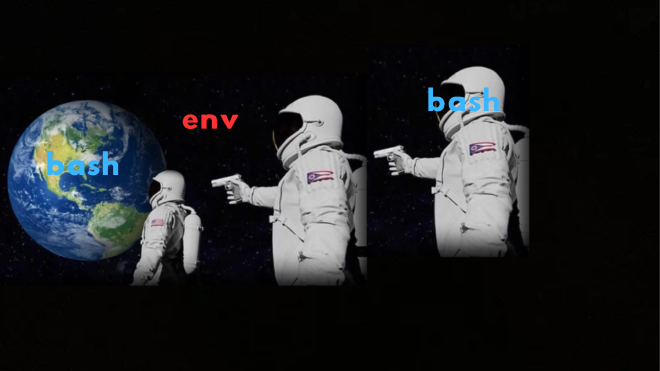
Environment variables#
An environment is a collection of dynamic, named values—called environment variables—that can affect the way running processes will behave on a computer.
Every single process has its own copy of this environment.
Some of the most common environment variables include :
USER(orLOGNAME): the name of the user currently login.HOME: The absolute path to theUSERhome directory (e.g.,/home/hacker). This is where the shell starts you off and where programs look for user-specific configuration files.PATH: Arguably the most important one. It’s a colon-separated list of directories. When you type a command likecatwithout specifying its full path (/bin/cat), the shell searches through the directories listed inPATHuntil it finds an executable file with that name.PWD: The path to your Present Working Directory. It changes every time youcd.LANG: Controls the language, character set, and formatting for things like dates and currency.
How to View and Work with environment variables#
- To see all environment variables:
1$ env 2# or 3$ printenv - To see the value of a single variable: Use
echoand a$followed by the variable name.Note: There is no space between the$sign and thevariablename1#echo $VAR_NAME 2$ echo $PATH # Output: /usr/local/sbin:/usr/local/bin:/usr/sbin:/usr/bin:/sbin:/bin
Inheritance#
When a new process is created, it inherits a copy of its parent’s environment 1.
This is why everything works so seamlessly accross different commands and programs.
- You log in, and your main shell process (
bash) is created with a full environment (USER=john,PATH=..., etc. ). - You run the
lscommand. - The shell creates a new child process for
ls. Thislsprocess gets a complete copy of the shell’s environment variables. - The
lsprogram can now look at its own environment to get information if it needs to, without having to ask the parent shell.
Using the env Command#
So, if every process automatically inherits the environment, why do we need a command called env?
The env command has two main purposes:
- To view the current environment (when run with no arguments).
- To
runa command in a modified environment, without changing your current shell’s environment.
Running commands in a modified environment
Let’s say your LANG environment variable responsible for your language preference is English, and you want to see the date in French without changing your system language for example.
 1# This will use our default English environment
 2
 3$ date
 4
 5# Output: Tue 21 Aug 2025 10:30:00 AM UTC
 6
 7# This runs 'date' in a temporary, modified environment
 8
 9$ env LANG=fr_FR.UTF-8 date
10
11# Output: mar. 21 août 2025 10:30:00 UTC
That is it. Thanks for reading
I hope you learned something from this post. Any suggestions or areas of improvement? Please let me know, it will help me a lot to write better future posts. Thanks !!
- This can be abused if the
envcommand has aroot setuidbit set.